



330 credits per minute
Pricing page, approximate credit costs: Speech to Text 330 credits per minuteelevenlabs.io
For anyone who wants to sell transcripts, or has a client waiting for one, without doing the typing. A company charges $120 for the hour and the machine does it for $0.22; you do the ten minutes of editing in between and keep the difference.
A speaker-labelled transcript with the names spelled right, plus an SRT with timestamps, from a 60-minute recording, in about ten minutes of your own time.
The same hour of audio has four published prices, and they are two orders of magnitude apart.
| Who | What the hour is worth | Where the number comes from |
|---|---|---|
| ElevenLabs Productions, human review of a transcript | $120, from $2.00 a minute | ElevenLabs' own service page |
| Rev, what it pays the person typing | $24 to $66, at $0.40 to $1.10 a minute | Rev's freelancer page |
| TranscribeMe, what it pays a beginner | $15 per audio hour | TranscribeMe's pay page |
| Scribe v2 by API, the machine | $0.22 | ElevenLabs API pricing |
Read it from the bottom up. The machine now types the hour for 22 cents. The person who used to type it is paid $15 to $66. The company that sells the finished transcript charges $120. The service that fits in that gap is ten minutes long: take the machine's draft, put the right names on the right lines, export the two files the client actually opens, and quote per audio minute.
That is the whole play. The rest of this page is how to do it so the client never has to rewind.
The path below walks every click with screenshots from a real account. What follows is the reasoning behind each step and the numbers you quote from.
Four buyers for the same ten minutes, in the order they pay:
The client does not want "a transcript". They want a document with the right people's names on the right lines, the product names spelled the way the company spells them, timestamps if there is video to cut, and nothing that makes them stop and rewind. Machine output on its own fails all four. Human typing passes them at $2.00 a minute, and slowly.
So the thing you sell is not transcription. It is the ten minutes that turn machine output into that document, delivered the same day. Price it as that.
Every figure below is read from the platform profile it belongs to, not written into this page. Follow a name to see every answer we have for that platform.
OpenAI's transcription endpoint accepts mp3, mp4, mpeg, mpga, m4a, wav and webm, up to 25 MB per file. The ElevenLabs upload window takes audio and video files up to 1000MB; the API behind it goes to 3 GB and 10 hours. Sixty minutes of MP3 at 128 kbps is roughly 58 MB, so for OpenAI either re-encode or split at a pause, and for ElevenLabs upload it as it is.
Speech to Text sits in the left menu of the ElevenLabs dashboard. The page lists your transcriptions, has a Speakers tab for a library of known voices, and a black Transcribe files button top right. The button opens the upload window; nothing is charged until you confirm inside it.
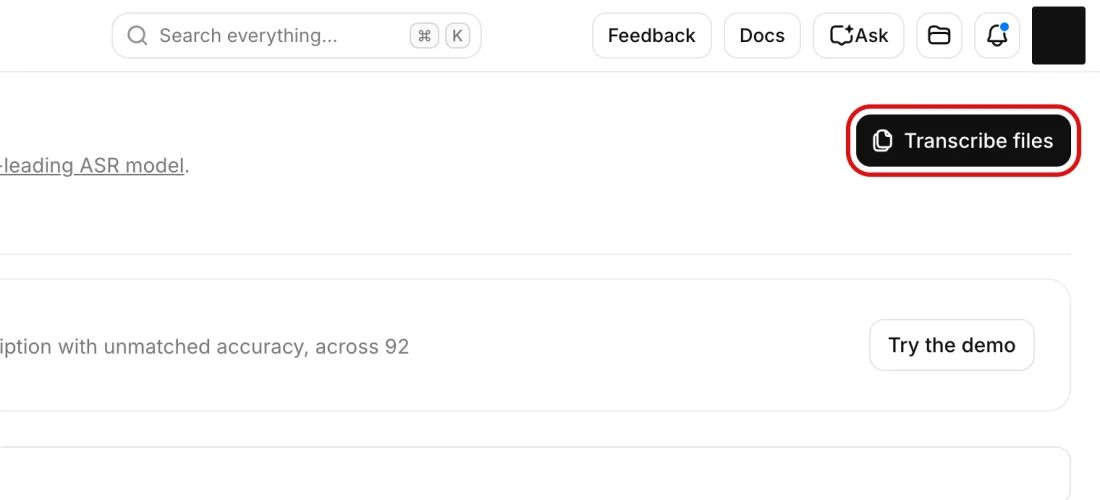
Transcribe files. Speech to Text page in the ElevenLabs dashboard, top right, ElevenLabs, screenshot taken 2026-09-14. Account details are masked.
The window has four tabs, Upload, Record, YouTube and URL, and six controls: Primary language (leave Detect unless you know it), Tag audio events (on by default; off for a transcript nobody wants laughter marked in), Include subtitles, No verbatim, Assign speakers from library, and Keyterms. Type the people, company and product names into Keyterms; the docs say keyterms raise the cost by 20%.
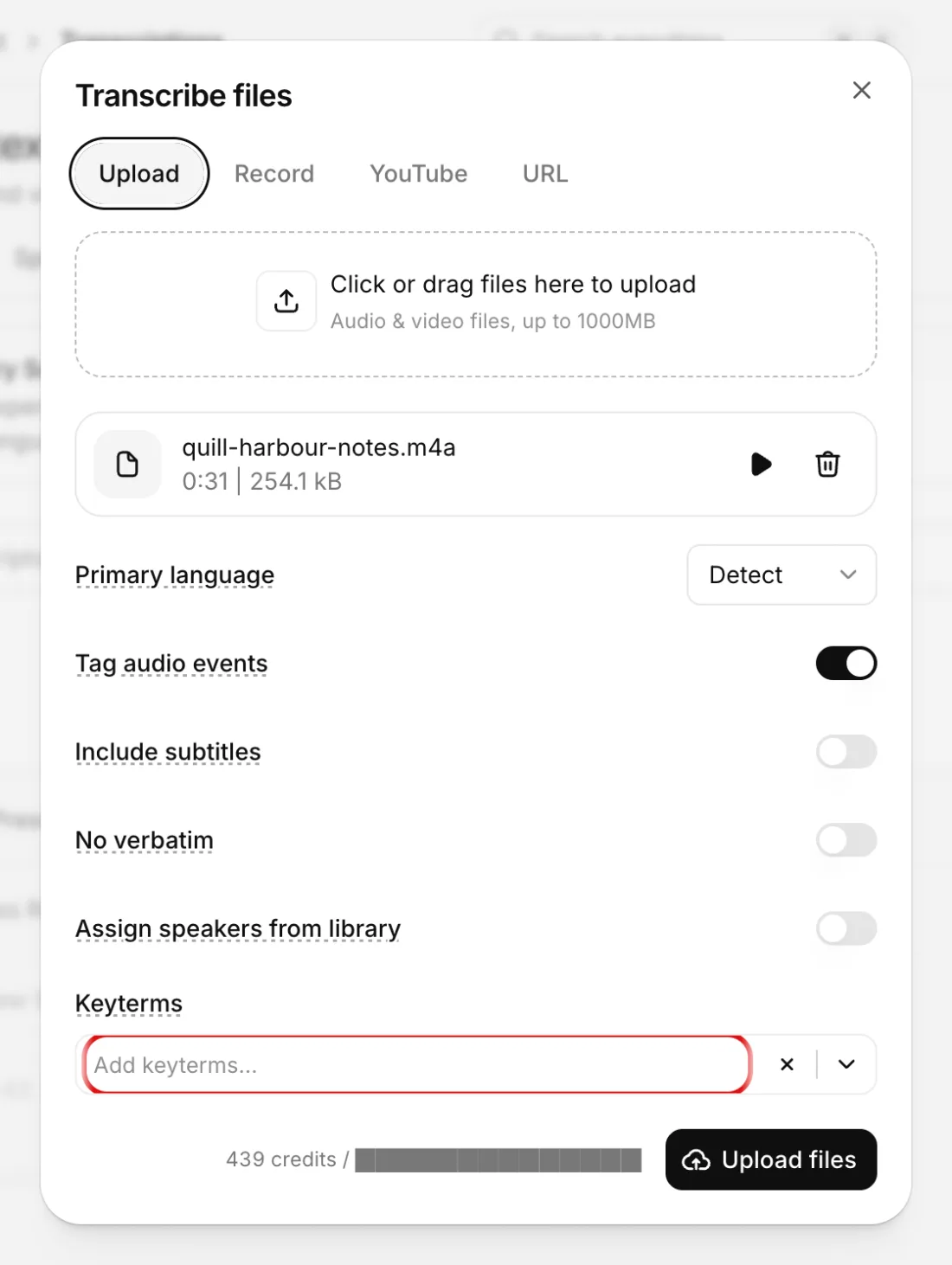
Keyterms. Transcribe files window, with a test file attached and the six controls, ElevenLabs, screenshot taken 2026-09-14. Account details are masked.
Once a file is attached, the window shows what it will cost in credits before you commit. For our 31-second test file it said 439 credits, and the figure did not move when we toggled Tag audio events or Include subtitles. That is about 14 credits a second, which is more than the 330 a minute on the pricing page; the price section below works through both numbers. Click Upload files; a half-minute file was back in under ten seconds.
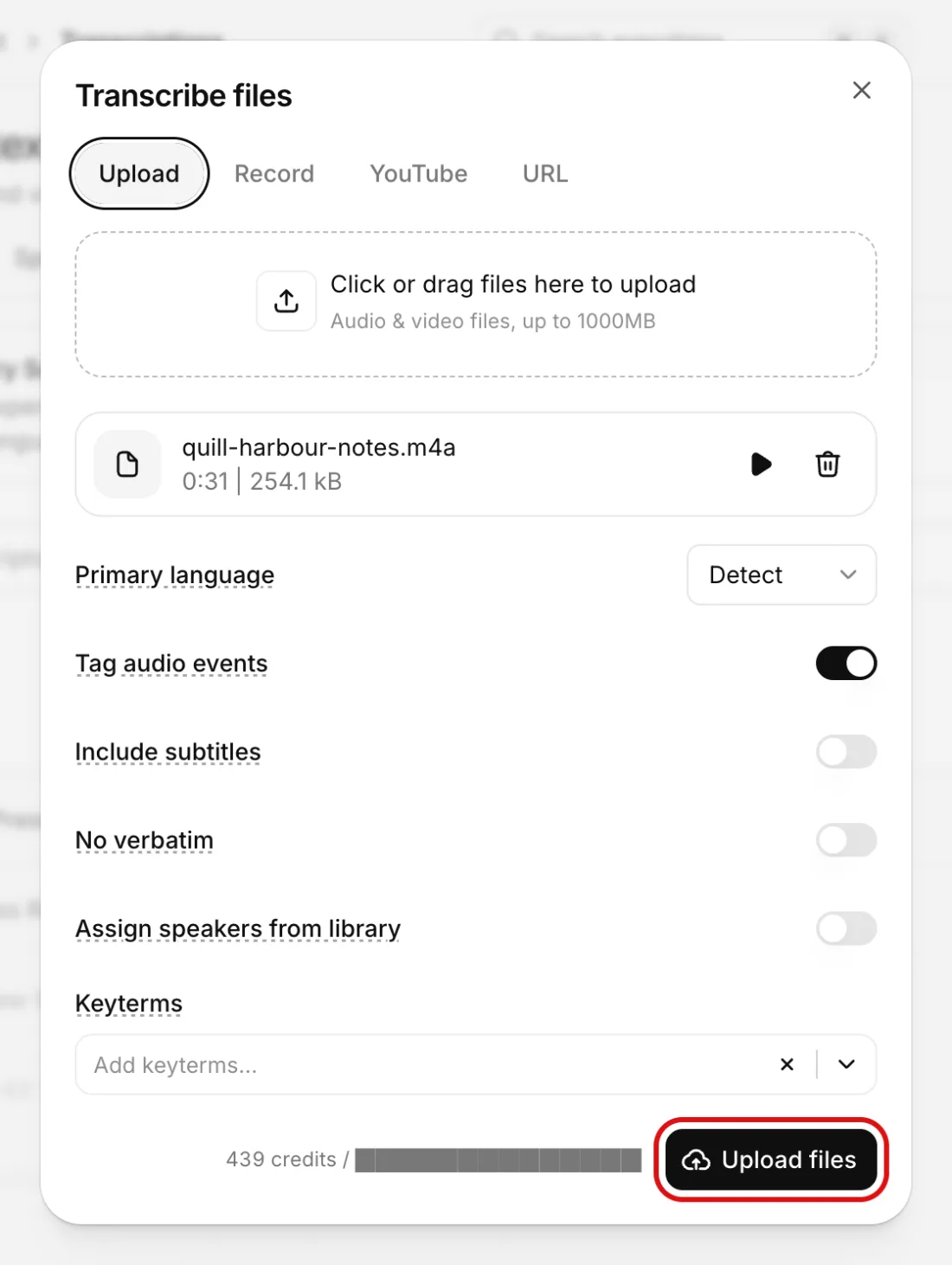
Upload files. Transcribe files window, the credit estimate line beside Upload files, ElevenLabs, screenshot taken 2026-09-14. Account details are masked.
Send the file to /v1/audio/transcriptions with model gpt-transcribe, the model OpenAI recommends for recorded speech. Pass a prompt describing the recording, keywords for the terms you expect to hear, and languages for the languages spoken. If you need speaker labels, switch to gpt-4o-transcribe-diarize with response_format diarized_json and chunking_strategy auto for anything over 30 seconds.
Open the transcript from the list. Speakers arrive as Speaker 0 and Speaker 1. Click the label beside any segment and it turns into a text field; type the real name and press Enter, and every segment of that speaker takes the name. Then click each proper noun on your list to hear the audio from that word and correct the spelling. Edits save on their own; the top bar shows Last saved.
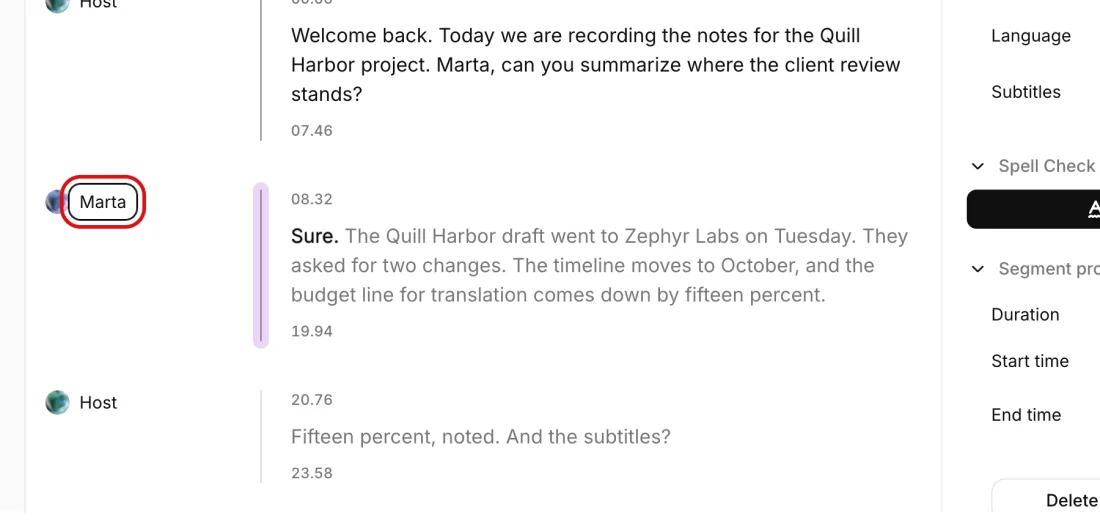
Marta. Transcript Editor, a speaker label opened as a text field for renaming, ElevenLabs, screenshot taken 2026-09-14. Account details are masked.
Export offers SRT and VTT, but the first time you pick one the editor opens Generate subtitles instead of a download: Max characters per line 42, Max lines per cue 2, Max seconds per cue 7, and a choice between cutting cues from the existing speaker segments or to best satisfy those rules. Click Generate. A Subtitles tab appears beside Transcript, with every line's character count against the 42.
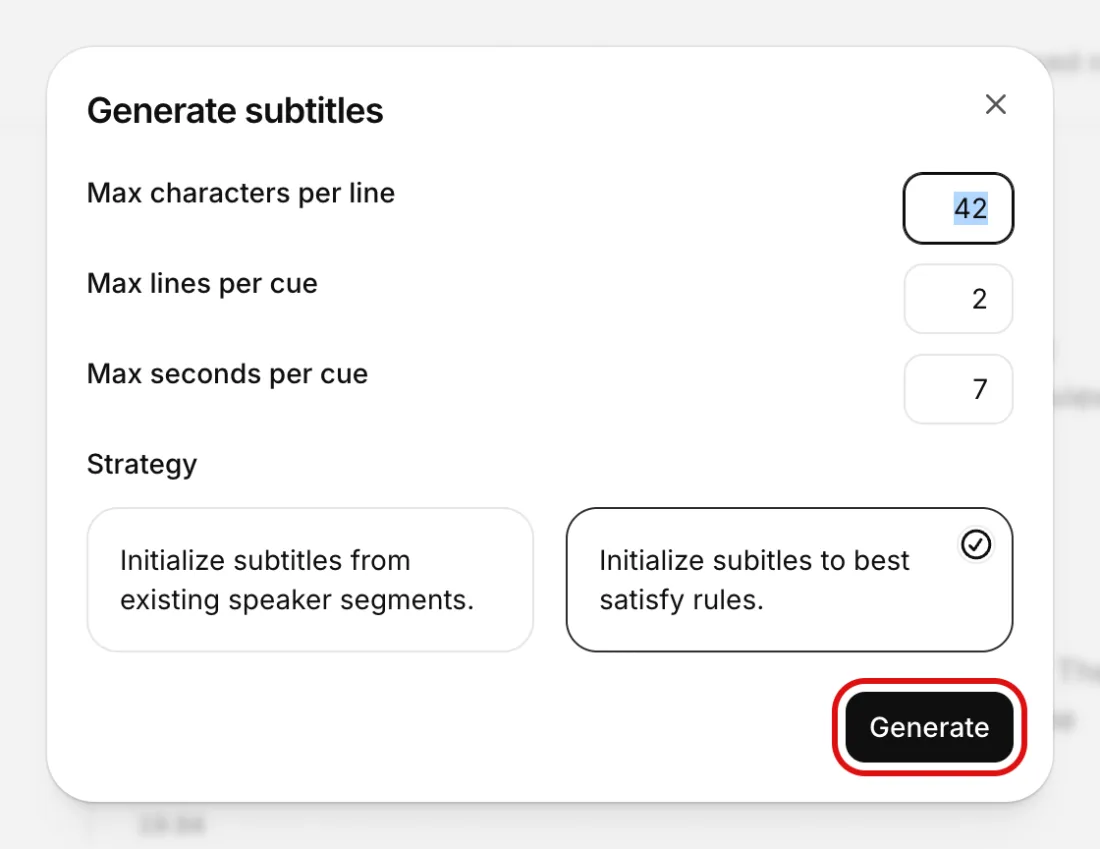
Generate. Generate subtitles window that opens the first time you pick SRT or VTT under Export, ElevenLabs, screenshot taken 2026-09-14. Account details are masked.
The Export button top right lists Text, PDF, DOCX, JSON, HTML, SRT and VTT. Take Text for the document and SRT for whoever is cutting the video; DOCX if the client edits in Word. They cost nothing extra once the transcript exists. Download the same day, for the reason under the terms below.
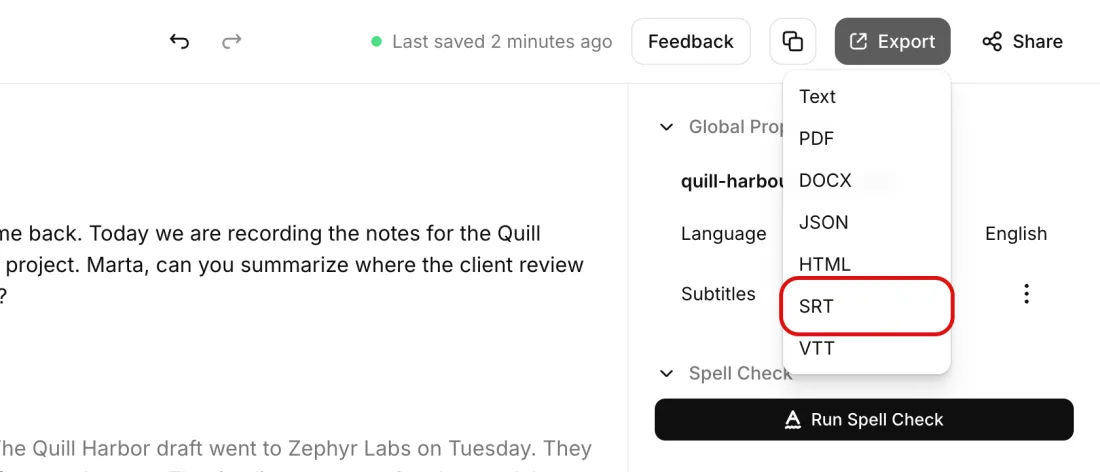
SRT. Export menu of the Transcript Editor, seven formats, ElevenLabs, screenshot taken 2026-09-14. Account details are masked.
By API an hour is $0.18 on gpt-4o-mini-transcribe, $0.22 on Scribe v2, $0.27 on gpt-transcribe, $0.36 on Whisper and $0.39 on Scribe v2 Realtime. Inside the ElevenLabs app the pricing page's 330 credits a minute makes an hour 19,800 credits; the upload window's own estimate for our file implies about 50,000. Budget on the higher figure until ElevenLabs reconciles the two, and compare both with the $2.00 a minute its Productions team charges for human review.
ElevenLabs' Free plan carries no commercial licence and cannot be used for any commercial purpose. A transcript you are paid for is commercial use. The API is billed in dollars, not plan credits, and every paid plan includes the licence.
OpenAI assigns the Output to you and you keep ownership of the Input, so recording and transcript are both yours in the terms. When the agreement ends OpenAI deletes all Customer Content within thirty days and hands nothing back.
TranscribeMe pays beginning General Transcribers $15 USD per audio hour, so a 2-minute file pays $0.50. Rev pays $0.40 to $1.10 per audio minute, $24 to $66 an hour. Both pay through PayPal only; TranscribeMe needs a $10 balance before a Thursday payout and Rev pays within a week of approval.
ELEVENLABS PUBLISHES THIS TWO WAYS
330 credits per minute
Pricing page, approximate credit costs: Speech to Text 330 credits per minuteelevenlabs.io
439 credits for a 31-second m4a
Transcribe files window in the app, the estimate shown next to Upload files for a 31-second m4aelevenlabs.io
The two figures are two and a half times apart. On the pricing page an hour is 19,800 credits and fits inside a $6 Starter month; at the rate the upload window quoted for our file an hour is about 50,000 credits and does not fit in Starter at all. We uploaded 31 seconds, not an hour, so we have not seen which figure bills at length. Until ElevenLabs reconciles them, budget on the higher one and read the estimate line before every upload.
Both pages were live when we read them. This site has not asked ElevenLabs which figure is current, and does not know.
Everything here was walked through in a real ElevenLabs account in 2026; the screenshots in the path below are from that session.
openai audio:transcriptions create --model gpt-transcribe --file meeting.mp3 --raw-output --transform text
prompt (a sentence about the recording), keywords (the literal terms you expect to hear) and languages (the codes spoken). Keywords are hints, not required output, so include only terms that are really in the audio.Four edits, always the same four:
FIG 1
Every row is a published per-minute or per-hour rate multiplied to 60 minutes, drawn on one linear scale. The three groups are three different transactions, which is why the numbers are so far apart.
What a client pays for a human-reviewed transcript
ElevenLabs Productions, human review$12012
from $2.00 a minute
0125
| Group | Row | Value | Source |
|---|---|---|---|
| What a client pays for a human-reviewed transcript | ElevenLabs Productions, human review | $120 | 12 |
| What a platform pays the person who types it | Rev, high end | $66 | 8 |
| What a platform pays the person who types it | Rev, low end | $24 | 8 |
| What a platform pays the person who types it | TranscribeMe, beginner | $15 | 5 |
| What a client pays the machine, by API | ElevenLabs Scribe v2 Realtime | $0.39 | 3 |
| What a client pays the machine, by API | OpenAI Whisper | $0.36 | 1 |
| What a client pays the machine, by API | OpenAI gpt-transcribe | $0.27 | 1 |
| What a client pays the machine, by API | ElevenLabs Scribe v2 | $0.22 | 3 |
| What a client pays the machine, by API | OpenAI gpt-4o-mini-transcribe | $0.18 | 1 |
The chart above puts all nine published rates on one linear scale, so the length of each bar is the price: the company's $120 fills the width, the platforms' $15 to $66 take a fifth to a half of it, and the five machine rates are hairlines. By API, an hour is $0.18 on gpt-4o-mini-transcribe, $0.22 on Scribe v2, $0.27 on gpt-transcribe, $0.36 on Whisper and $0.39 on Scribe v2 Realtime; gpt-4o-transcribe-diarize, the speaker-label model, is $0.006 a minute like Whisper. The AI job cost calculator runs these for any length.
The browser route is priced in credits, and ElevenLabs publishes that price two ways:
We uploaded 31 seconds, not an hour, so we have not seen which figure bills at length. The conflict is logged above; until it is resolved, budget on the higher number, and read the estimate line before every upload. The same hour through the ElevenLabs API is $0.22 in dollars, outside the credit pool. Past a couple of hours a month, the API is the cheaper door into the same model and the app is the editor you use afterwards.
Against all of that stands the human price: ElevenLabs' Productions team will have a native speaker review a transcript from $2.00 per minute of audio, $120 for the hour. That is what a company charges a client for human work on this file, and it is the ceiling you quote under.
The same ten minutes can be sold to a transcription platform instead of a client, at the platform's rate:
Both pay for the typing, not for the client relationship. That is why the client route pays more: the $120 belongs to whoever hands the client the finished document.
Earns.io (2026). A Company Charges $120 to Transcribe an Hour of Audio. The Machine Does It for $0.22. Figures checked 2026-09-14. Retrieved from https://earns.io/en/methods/an-hour-of-audio
https://earns.io/en/methods/an-hour-of-audio
openai.com
GPT models billed per token.
This link pays this site nothing today. It goes to openai.com.
elevenlabs.io
Voice and audio generation on a credit subscription; the free plan carries no commercial license, and a shared voice clone can earn Voice Actor Payouts.
This link pays this site nothing today. It goes to elevenlabs.io.
transcribeme.com
Short-clip transcription crowd paying $15 per audio hour to beginners, weekly via PayPal once $10 has built up.
This link pays this site nothing today. It goes to transcribeme.com.
rev.com
Transcription, captioning and subtitle work paid per audio minute, $0.40 to $1.10 for transcripts, weekly via PayPal; applications currently sit on a waitlist.
This link pays this site nothing today. It goes to rev.com.